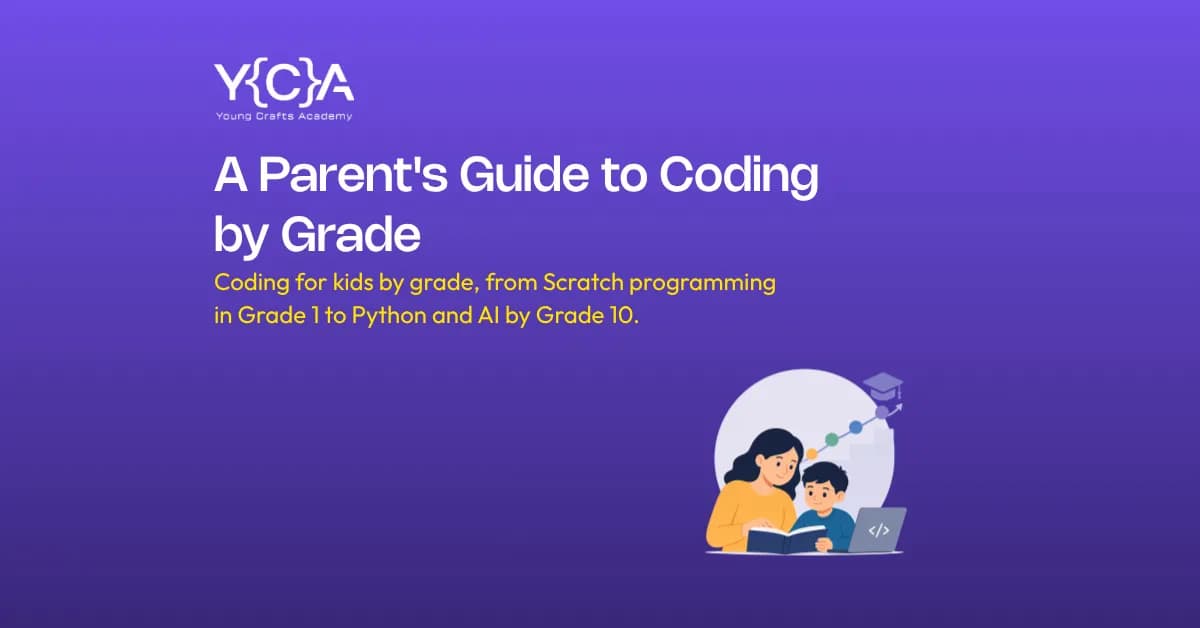
Grade by grade, here's what to teach a child coding: Grade 1 to 2 starts with basic Scratch programming, Grade 3 to 4 moves into advanced Scratch with loops and variables, Grade 5 to 6 shifts toward Python foundations or Roblox and Lua scripting, Grade 7 to 8 covers intermediate Python and web development, and Grade 9 to 10 adds AI, machine learning and robotics, the same progression Young Crafts Academy builds its Grade 1 to 10 coding classes around, and it lines up with where Nepal's own Curriculum Development Centre has already taken the Grade 9 and 10 syllabus. That's the outline. The rest of this guide breaks down what each stage actually looks like in class, and how to tell when your child is ready to move up a level.
Why Grade Matters More Than Age Alone
Two children in the same grade can be a year apart in age. Two children the same age can be a grade apart. That gap matters more in coding than most parents expect, because school curriculum runs on grades, not birthdays.
There is also a Nepal-specific reason to plan around grade rather than age right now. Nepal's Curriculum Development Centre has already reworked the Grade 9 and Grade 10 computer science syllabus, and the changes are worth knowing before you pick a course for an older child:
Python has replaced QBASIC as the programming language taught in class.
Cybersecurity is now a named topic, not an afterthought.
Digital citizenship sits alongside the technical content instead of being treated as separate.
A child who learns Python or basic AI concepts before Grade 9 is not getting ahead of some vague future trend. They are getting ahead of what their own school will expect from them in a year or two.
Coding by Grade: Quick Reference Table
Here is the full picture at a glance. Each section below goes into more depth on what a child actually builds at that stage.
Grade | Age | Core Tool | What They Build |
Grade 1 to 2 | 6 to 7 | Scratch programming basics | A short animation or one-screen game |
Grade 3 to 4 | 8 to 9 | Scratch programming, advanced | A multi-level game or branching story |
Grade 5 to 6 | 10 to 11 | Python foundations, Lua for Roblox | A typed program, or a published Roblox game |
Grade 7 to 8 | 12 to 13 | Python, HTML, CSS, JavaScript | A real website live on the internet |
Grade 9 to 10 | 14 to 16 | AI and machine learning, robotics | A trained AI model, chatbot, or robotic car |
Grade 1 to 2 (Age 6 to 7): The First Steps
At this age, typing gets in the way more than it helps. A six or seven year old is not ready for syntax, and does not need to be. This is where Scratch programming earns its reputation as the standard starting point for coding for kids everywhere, not just in Nepal.
What actually happens in class:
Your child drags colored blocks into place instead of typing commands.
There is no syntax error to get stuck on, only logic, sequencing, and a lot of trial and error.
A finished project looks like a short animation, or a one-screen game where a character moves and reacts to a key press.
What to expect from your child at this stage:
Following a sequence of steps in order (this block, then this block, then this block).
Basic cause and effect (if I click here, the cat jumps).
Short attention spans are normal. A 45-minute class with small breaks works better than a long, uninterrupted one.
What not to expect yet: independent debugging, multi-step logic, or any typed code. Pushing a six year old toward text-based coding usually backfires and makes the whole subject feel like homework instead of play.
Grade 3 to 4 (Age 8 to 9): Advancing in Scratch Programming
The tool stays the same, but the complexity climbs. This is where Scratch programming stops being simple drag-and-drop and starts introducing real programming concepts through blocks: loops, conditionals and variables.
What a finished project looks like at this stage:
A game with a working score counter.
Multiple levels that get progressively harder.
A short interactive story where the reader's choices change the outcome.
This is also the stage where independent problem solving starts to show. A child who is stuck on why a character will not move is doing exactly what they are supposed to be doing. Struggling through a bug for ten minutes before asking for help builds the same muscle that debugging real code will require later.
A few Scratch programming project ideas parents can try at home between classes:
A catch-the-falling-object game with a score that increases each round.
A simple maze where the player uses arrow keys to reach an end point.
A "choose your own adventure" story with at least two different endings.
A quiz game that keeps score across five questions.
A birthday card animation with the child's own name and a personal message.
None of these require anything beyond the free Scratch website, and they give a child something to show family before their next class.
Grade 5 to 6 (Age 10 to 11): The Bridge Years
This is the stage most parents misjudge. Some ten year olds are ready to move from blocks to typed code. Others need another year with Scratch, and that is completely normal, not a sign anything is wrong.
Two realistic paths at this age:
Path | Best For | What They Build |
Python foundations | Kids ready to move past blocks | A calculator, a simple quiz game, or a basic typed program |
Roblox and Lua scripting | Kids motivated by a game they already play | A published, playable Roblox game |
Python is a natural next step after Scratch programming because the underlying logic, sequencing, loops, and conditionals carries over directly. What changes is that the child now has to type exact syntax, and a missing bracket or misspelled command will stop the program from running. This is the first time most kids meet a real debugging error, and it is worth treating as a normal part of learning rather than a setback.
Roblox game development works well for a different kind of learner, one who is already spending hours inside Roblox and would rather build on the platform than leave it. Lua is a real scripting language, not a simplified version built only for kids, so the skills transfer.
Grade 7 to 8 (Age 12 to 13): Real Code, Real Projects
The shift at this stage is less about the tools and more about the goal. Kids at Grade 7 and 8 want to build something they can actually show someone, not just finish an exercise.
The two realistic subjects at this stage:
Python (intermediate level): builds toward a working program with a real function, like a game, a simple tool, or a small automation.
Web development (HTML, CSS, JavaScript): builds toward an actual website, live on the internet, with pages a friend or grandparent can visit and click through.
What a finished project looks like:
A published website with more than one page and working navigation.
A Python program with a genuine function (not just printed text) that a sibling can actually use.
This is also where portfolio building quietly starts. A student who finishes Grade 8 with two or three real, working projects has something concrete to point to later, whether that is a school interview, a scholarship application, or simply their own confidence.
Grade 9 to 10 (Age 14 to 16): Curriculum Alignment and What Comes Next
This is the highest-stakes stage for Nepali parents specifically, because it now overlaps directly with the school syllabus. As covered earlier, Nepal's Grade 9 and 10 computer science curriculum has already shifted to Python, added cybersecurity as a named topic, and folded in digital citizenship.
What's realistic to add at this stage, beyond the school syllabus:
Subject | What It Builds | Why It Fits This Age |
Artificial Intelligence | A trained AI model, a chatbot, an image classifier | Directly tied to where the national curriculum is heading |
Robotics | A Bluetooth-controlled robotic car | Hands-on, involves real electronics and sensors |
Web Development | An advanced, multi-page site or small app | Builds directly on Grade 7 to 8 foundations |
Robotics is the most hands-on of the three, since building a Bluetooth-controlled robotic car means working with real electronics and sensors, not just a screen.
A teenager with zero prior coding experience can still start directly at this stage. There is no requirement to have spent years on Scratch programming first. A student who has never coded before Grade 9 can begin with Python or web development and catch up quickly, because the reasoning skills that matter (breaking a problem into steps, testing one piece at a time) transfer from other subjects like maths just as well as they transfer from earlier coding classes.
How to Tell If Your Child Is Ready to Move Up a Level
Grade is a useful starting point, not a rulebook. Watch for these signs instead of going strictly by age or grade.
Signs your child is ready to move up:
They finish projects without needing constant help.
They start asking "how do I make it do X" on their own, without being prompted.
The current tool or subject has started to feel boring or too easy.
Signs your child needs more time at the current stage:
Typed syntax causes real frustration rather than the normal, expected kind of struggle.
Projects get left unfinished more often than not.
They need step-by-step guidance for almost every task.
Moving up a level in coding does not need to match moving up a grade in school. A child can be ahead in one and right on pace in the other, and both are fine.
Common Mistakes Parents Make When Planning by Grade
Pushing typed code too early: Because a sibling or classmate is already there. Readiness varies by child, not by birth order.
Assuming an older child needs a "harder" subject: Rather than one that matches actual interest. A 13 year old who loves games may get more out of Roblox game development than a Python track chosen only because it sounds more advanced.
Skipping fundamentals to chase a trendy subject: AI is exciting, but a child who has not built solid logic and sequencing skills first will struggle more than one who spent proper time in Scratch programming or Python basics.
Treating the grade chart as fixed: Instead of as a starting point for a conversation with an actual instructor, who can assess a specific child rather than an age bracket.
Getting Started
Grade gives you a starting point, not a fixed answer. The fastest way to know exactly where your child stands, whether that is early Scratch programming, ready-for-Python, or already suited to AI and robotics, is a real instructor watching them work through one live session. Book a free trial class to see where your child actually fits.
If you would rather compare options first, our full course catalogue breaks down every subject by grade and format.